Phones not provisioning - Release MAC from Manufacturer RPS
If you're having issues getting a device registered and our support team tells you the device is already registered,
If you had this working on a previous provider, you can reach out to them directly and they should be able to remove any MAC addresses still stuck on their side.
Otherwise, if you bought this phone used or refurbished, it's possible the previous owner still holds it, and your only avenue will be the manufacturer contacts below.
Yealink
Requires: Yealink YMCS account
See this article for removal via YMCS https://commsplus.zohodesk.com.au/portal/en/kb/articles/release-occupied-device-re
Snom
Partner
If you're a Snom Partner, you can submit a Remove MAC address ticket via your private helpdesk, found at https://helpdesk.snom.com/.
Non-Partner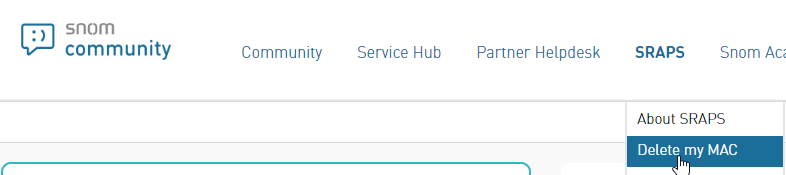
Requires: MAC, picture of MAC sticker on phone
If you're an end user or basic reseller, you can visit the Snom Community and request the MAC address be removed via the SRAPS > Delete my MAC menu.
Poly
Requires: HP Account, MAC, picture of MAC sticker on phone
Since Poly was purchased by HP, you'll need to create your tickets under an HP Support Account. You'll find their support portal at https://support.hp.com/, and you'll want to make a new case with Poly as the product, and the options below:
- Title: "ZTP-Remove MAC Address"
- Application Information: “Poly”
- Issue Description: Include your MAC address(es)
- Troubleshooting Steps: “Troubleshooting not applicable”
Complete any remaining fields and submit.
Fanvil
Requires: MAC, picture of MAC sticker on phone
If you're going to have to do this frequently, it's probably best to create a ticketing account.
With or without a ticketing account, you can Submit a Ticket via their portal using the fields below:
- Subject: “FDPS MAC Removal”
- Issue Categorization: “Auto Provisioning”
- Description: Include your MAC address(es)
- Attachments: Include your pictures
Complete any remaining fields and submit
Htek
Requires: MAC, picture of MAC sticker on phone
Send the MAC address(es) you're looking to remove along with picture evidence to support@htek.com, and they'll assist in getting these removed.
Related Articles
Manufacturer Direct Online Warranty Claim Process - Jabra
Manufacturer Direct Online Warranty Claim Process – Jabra ver. FEB 2024 The quickest way to receive a replacement headset, is to lodge a warranty claim, and request the warranty replacement directly with Jabra support. Browse to Jabra product ...Manufacturer Direct Online Warranty Claim Process - EPOS
Manufacturer Direct Online Warranty Claim Process – EPOS ver. FEB 2024 The quickest way to receive a replacement headset, is to lodge a warranty claim with the authorised service agent, Auroz. Browse to Auroz EPOS product warranty registration ...Manufacturer Direct Online Warranty Claim Process - Poly
Manufacturer Direct Online Warranty Claim Process – Poly ver. FEB 2024 The quickest way to receive a replacement headset, is to lodge a warranty claim, and request an advanced replacement direct with HP support. Browse to Poly product warranty ...Manufacturer Direct Online Warranty Claim Process - Yealink
Manufacturer Direct Online Warranty Claim Process – Yealink ver. FEB 2024 The quickest way to receive a replacement headset, is to lodge a warranty claim, and request the warranty replacement directly with Yealink support. Browse to Yealink product ...Factory Resetting Poly Edge E Series Phones with out knowing Password
Follow these instructions to reset a Poly Edge E Series phone to the factory default state. Instructions Power the phone on. Depending on the Edge E model, the Handsfree and Headset buttons should illuminate. When the lights turn off, press the 1, 5, ...