YEASTAR - DID Routing Modes
DID Routing Modes
Yeastar P-Series PBX System provides four DID matching modes to help you route inbound calls based on DID numbers.
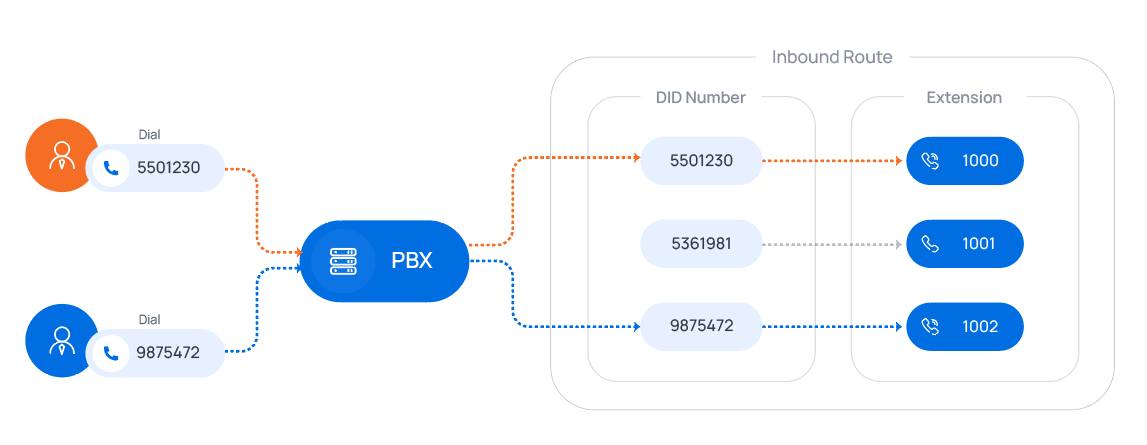
DID Number to Specific Extension
The inbound calls that match the defined DID number(s) will be routed to the specified extension(s) in one-to-one correspondence.
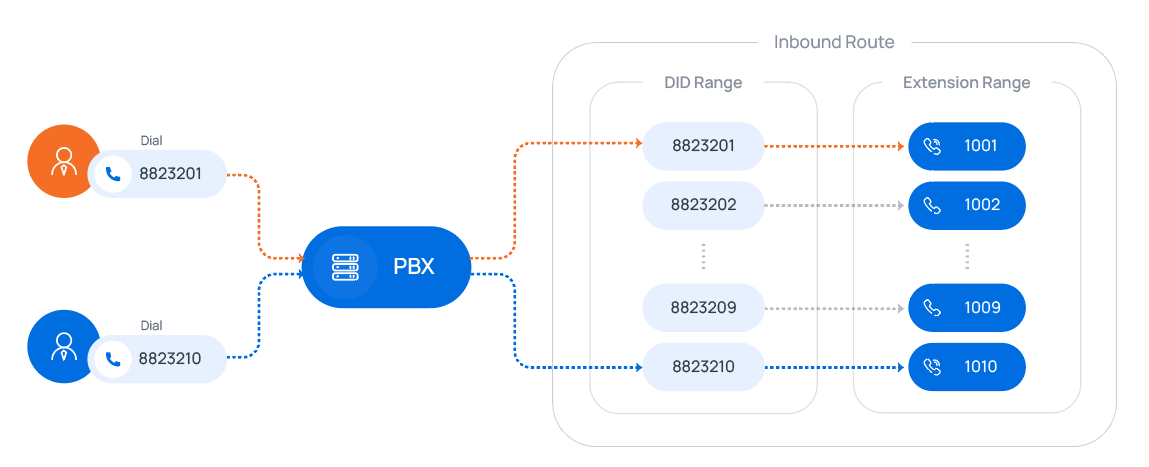
Match DID Range to Extension Range
Match DID Range and Extension Range in a one-to-one correspondence with sequential order.
Match DID Pattern to Extensions
Use the variable
{{.Ext}}to match extension number in the DID pattern.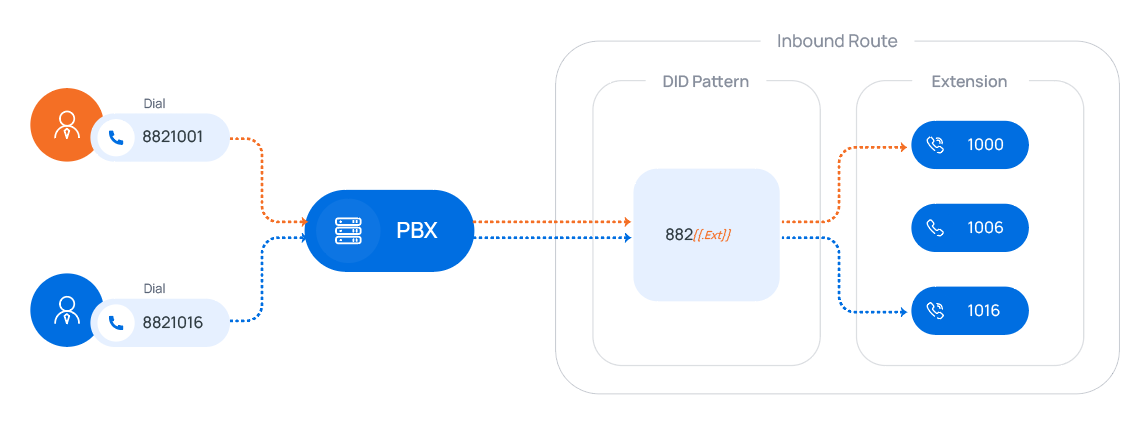
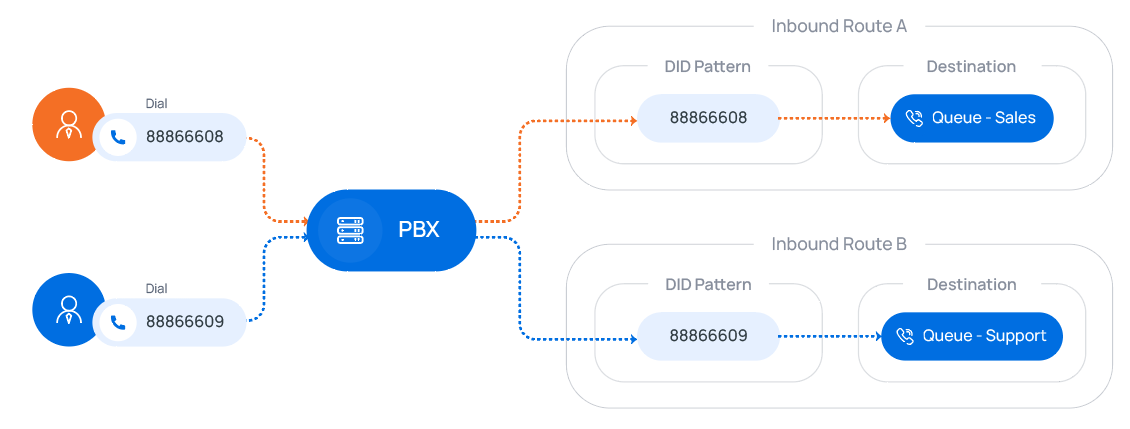
DID Pattern
The inbound calls that match the defined DID number(s) or pattern(s) will be routed to a defined destination.
Related Articles
Yeastar - PBX to Yeastar NeoGate TA800 Gateway (Peer Trunk Mode)
Yeastar P-Series to TA800 Complete Peer Trunk Integration Guide Document Purpose This document details a complete integration blueprint to deploy a Yeastar TA800 8-Port FXS gateway alongside a Yeastar P-Series PBX without using extension licenses. It ...Yeastar Multiple Manual Night modes for Different DIDs with night key appearance
Yeastar Multiple Manual Night modes for Different DID with key appearance 2 phones numbers with 2 different manual time modes Goto Call Control/Inbound Route/1st DDI number Select time condition and Based on custom Business hours Add your desinations ...Yeastar - Provisioning Avaya J series handsets Manually
Yeastar - Provisioning Avaya J series handsets Manually Auto Provision Avaya Phone in Yeastar Yeastar - Auto Provisioning - Phones Add the phone Configure Avaya J Series Power on the Avaya J Series Note: If the phone has already been used, you will ...Yeastar - Backup P-Series Cloud PBX
Backup P-Series Cloud PBX Capture Backup Log in to Yeastar Central Management, Login as Administrator to the PBX instance -Take a backup of Instance. You must do this within the instance and not YCM portal (YCM does not give a download file option) ...How to Upgrade Yeastar Cloud PBX
How to Upgrade Yeastar Cloud PBX Access the Yeastar Cloud PBX If a new version is available, it will display an icon at the top right Select the version Select Check for the New Firmware Select Upgrade Now Select OK The upgrade will begin, with a ...