Wrong Calling Name shows on Mobile
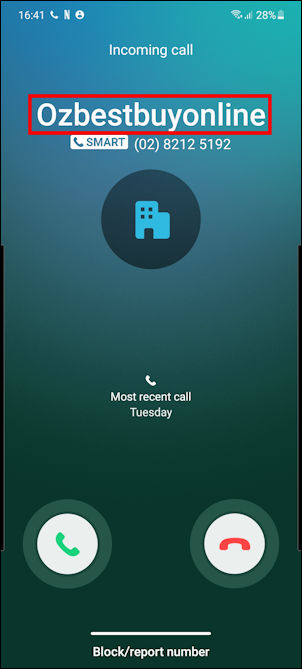
In instances like Samsung’s “Smart Call” (although “smart” may not be an apt name in some cases) they use a database of names linked to numbers.
It is then easy for you to, for example, detect if an incoming call is potentially spam or even fraudulent.
The problem though, is when they get it wrong. VERY wrong!
Fixing the caller ID name
So, how do you fix the wrong caller ID in Smart Call?
Not through your network, EG Optus or Telstra. In my experience, they don’t even know what the CNAM is! As for Samsung, even though it is their phone which is the problem, they cannot fix it either.
They use a third party service through which you can submit a request for a change.
Simply go to https://hiyahelp.zendesk.com/hc/en-us/requests/new and submit a request to ask for a change or removal.
Related Articles
Factory Resetting Poly Edge E Series Phones with out knowing Password
Follow these instructions to reset a Poly Edge E Series phone to the factory default state. Instructions Power the phone on. Depending on the Edge E model, the Handsfree and Headset buttons should illuminate. When the lights turn off, press the 1, 5, ...Manufacturer Direct Online Warranty Claim Process - Yealink
Manufacturer Direct Online Warranty Claim Process – Yealink ver. FEB 2024 The quickest way to receive a replacement headset, is to lodge a warranty claim, and request the warranty replacement directly with Yealink support. Browse to Yealink product ...